 meirlabs
 Meir Rosenschein
How Do You Make Brand Assets and Mascots With AI Consistent Across a Campaign?
Stop describing the character in words; attach it as a picture. Every generation carries the actual anchor image plus one instruction (same character, just re-posed), so identity lives in the pixels, not the prose. From that anchor you build a kit of approved poses, pick one per piece, and composite headlines in HTML on top. On soclever's mascot, Lottie, this held one axolotl steady across 48 upload-ready ad files.Launch offer: Early clients get 50% off their first build, so your real cost is about half these figures. Book a free AI plan to lock it in.
Most founders picture the mascot problem as a prompt-writing problem. Get the description precise enough, they think, and the model will draw the same character every time. Wrong frame. "A peach-gold axolotl with feathery gill-plumes" has a thousand different faces, and the model picks a new one on every call. A better sentence doesn't fix that. It only narrows the guess.

Why does the same prompt give you a different character every time?
Because a text description asks the model to re-invent the character from scratch on each call, and each re-invention is a fresh chance for the model's defaults to leak in. Proportions shift, the palette warms or cools, the styling drifts. You're not asking for the same axolotl twice. You're asking for the model's best guess at your words twice, and the guesses differ. Words can pin a genre ("friendly cartoon axolotl"). They can't pin an individual. For that you need the individual itself in the room.
How do you lock the character in place?
Attach the actual anchor image to the request, before the text, and let it carry the identity. The prompt then says only what's different this time. On soclever, the internal rulebook behind every Lottie generation spells it out in three rules:
- The reference image is ALWAYS attached. Identity lives in the picture, not the prose.
- Appearance is NEVER re-typed in text. "Text competing with the reference is the #1 cause of drift."
- One state change per call. Never combine a pose, a prop, and a mood change at once.
The one load-bearing instruction in the prompt: "Keep the mascot's identity (colors, face, proportions) EXACTLY consistent with the attached reference image. It is the same character, just re-posed." Notice what it refuses to do. It never re-states Lottie's colors or shape. It says only that whatever is in the attached picture must stay, then hands the model the one thing allowed to change: the pose. The image below was generated exactly this way, from the anchor above.

How do you get variety without it drifting?
You build a kit. From the one anchor you generate a set of approved moods and personas (a coach, a professor, a scout). Each becomes a reference in its own right, all tracing back to the same locked identity. Then you pick the reference per piece, so the right tone is loaded before the model reads a word of the brief. On soclever's six-course ad campaign the pose was picked per course by hand:
"Teach a kid who's given up"   ->  coach pose    (patient, sitting low)
"Grow your tutoring business"  ->  focused pose
"Understand medical results"   ->  encouraging pose
"Spot fake news"               ->  scout pose
"Master Excel"                 ->  professor pose (glasses, book)
"Build a portfolio"            ->  plain 3/4 anchor
That's chosen variation, not drift: a pick among pre-approved poses, with the character underneath unchanged. What holds it there is a set of guardrails, each one written after a real failure:
- Gill-fronds drifting crimson. Warm scenes pulled Lottie's gold gill-fronds toward red to match the palette. Fix: a standing rule that the fronds "must stay the mascot's natural warm gold/peach/orange exactly as in the reference image, NEVER crimson, red, or recolored to match the scene palette."
- The mascot getting distorted when it needed to shrink. The model simplified proportions instead of scaling. Fix: "If the mascot needs to appear smaller in the frame, scale it down; never recolor it."
- A stray human wandering into the scene. Fix: "NO real human figures, faces, or photographic people anywhere," so the axolotl stays the only face in the whole brand.
Why keep every word out of the art?
Because image models can't render legible type, and copy baked into the image can't be re-laid out without paying for a whole new generation. So the art is generated under a blanket ban: "ABSOLUTELY NO text, words, letters, numbers, labels, captions, signage, or speech bubbles anywhere in the image." Every headline, chip, and wordmark is composited on top afterward as real HTML text, crisp at any size. That split buys three things: pixel-perfect type in any language, one source illustration re-laid out natively for every format, and the freedom to reword a headline without regenerating a single pixel of art.
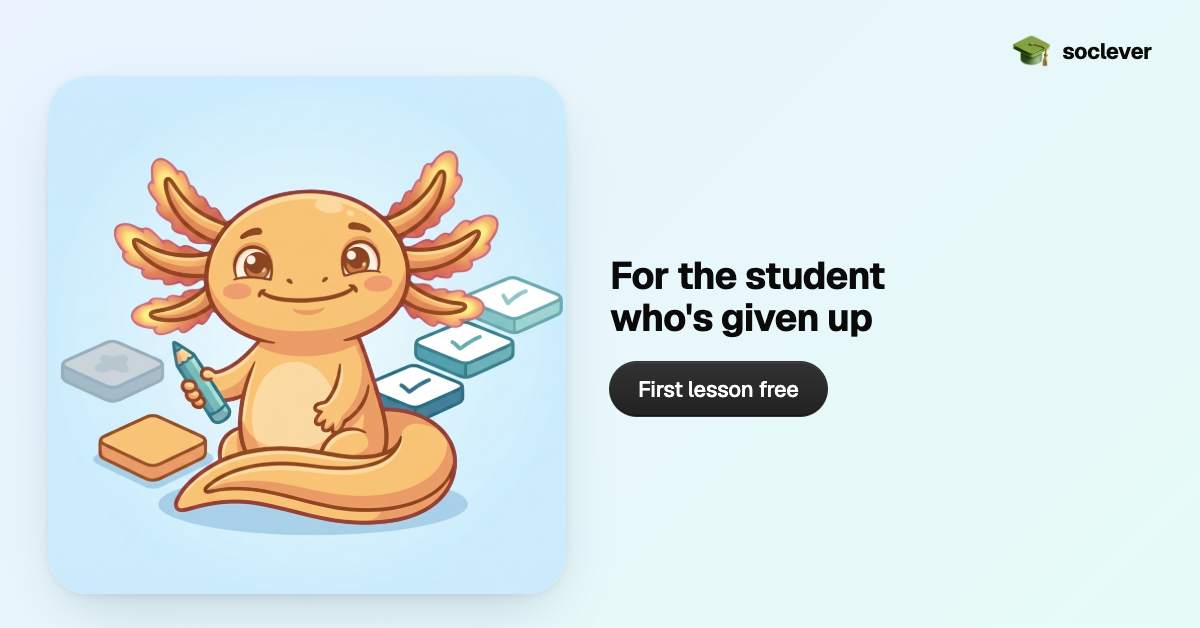
Each platform size is rendered natively, not cropped. LinkedIn wants 1200 by 627, X wants 1200 by 675, Meta wants 1200 by 628: all "landscape with a text column," all off by a handful of pixels. Crop one master image to hit all three and you clip the mascot or the headline differently on each. Instead, one square illustration is re-laid out for seven exact canvases, with one render doing double duty, which is how six courses became 48 upload-ready files. A gotcha worth stealing: when you drop square art into a non-square frame, pin the container to a fixed aspect ratio, or you get white letterbox bands above and below the art.
What does this not solve?
Reference conditioning holds a still character steady. It doesn't give you animation or a rigged 3D model. It doesn't guarantee pixel-for-pixel identity either: expressions and angles still vary slightly, which is exactly why a human approves each pose into the kit before it becomes a reference. And it only works on a model that accepts an image as input (soclever runs Gemini's image model at about $0.067 a picture). What you get isn't a clone on every call. It's the same recognizable character, every time, at $0.067 a picture. Locking a character to a reference kit is a one-workflow build, the same shape as any other AI adoption project: scope it tight, ship it, reuse it on every campaign after.